 站长资讯网
站长资讯网
在开发 Angular 组件的过程中,我们习惯把组件的样式写在对应的 css 文件中,但是一直不了解 Angular 是怎样做到样式隔离的,比如在 A 组件中写了 h1 { color: red },这个样式只会在 A 组件中生效,而不会影响到其他的组件。为了探究原理,就有了这篇文章,以下内容基于 Angular CLI 10.1.1 版本创建。
组件样式工作原理
探索
首先用 Angular CLI 创建一个新的 Angular 项目,删除 app.component.html 中的所有内容,替换成如下内容:
<h1>App Component</h1> <button class="red-button">Button</button>
在 app.component.css 中添加如下内容:
.red-button { color: red; }
运行时有如下 html 代码:
<app-root _nghost-ydo-c11="" ng-version="10.1.1"> <h2 _ngcontent-ydo-c11="">App component</h2> <button _ngcontent-ydo-c11="" class="red-button">Button</button> </app-root>
可以看到在在 app-root 元素上有一个名为 _nghost-ydo-c11 的属性(property),app-root 里面的两个元素都有一个名为 _ngcontent-ydo-c11 的属性。
那么这些属性是用来做什么的呢?
为了更好的理解,我们先创建一个独立的组件,新建文件 blue-button.component.ts,内容如下:
import { Component } from '@angular/core'; @Component({ selector: 'app-blue-button', template: ` <h2>Blue button component</h2> <button class="blue-button">Button</button> `, styles: [` .blue-button { background: blue; } `] }) export class BlueButtonComponent {}
放到 app.component.html 中运行后,会看到如下 html 代码:
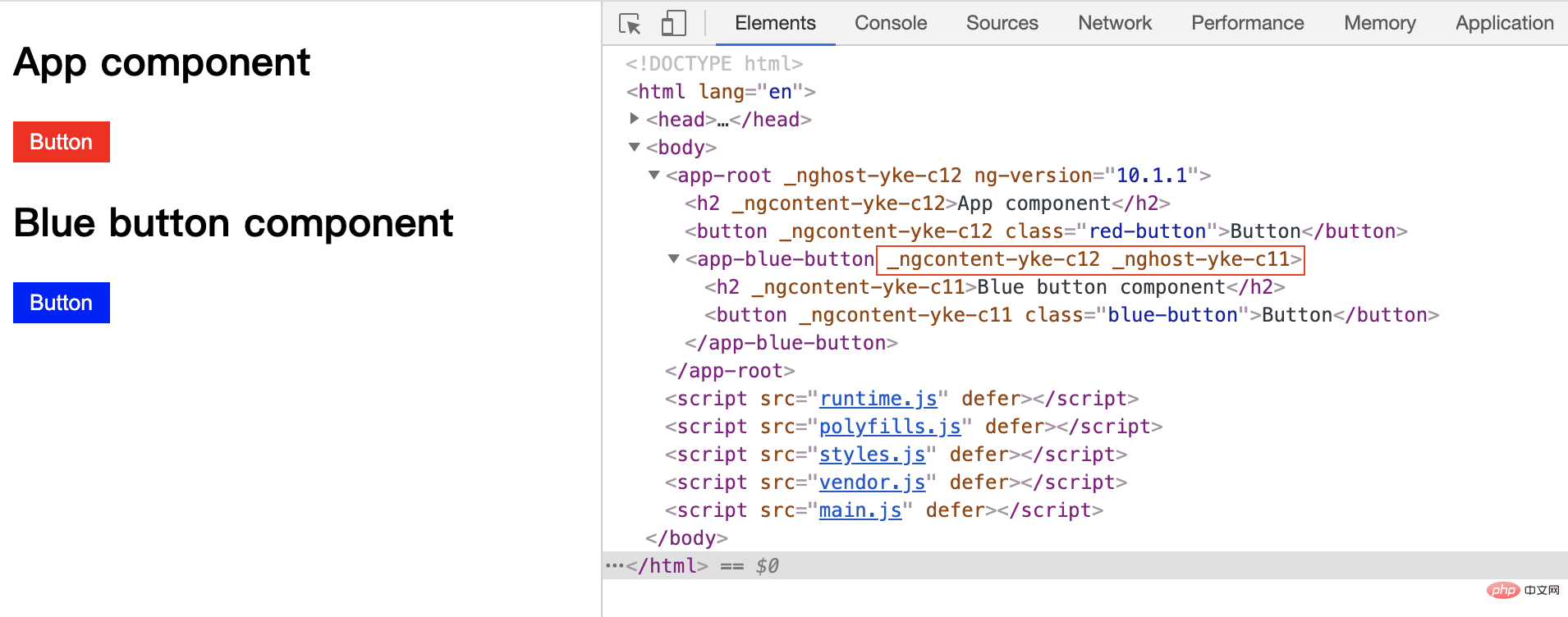
可以看到 app-blue-button 中也有一个以 _nghost-xxx 开头的属性,还有一个和 app-root 中其他元素相同的属性。而在组件里面的两个元素都有名为 _ngcontent-yke-c11 的属性。
由于每次运行,Angular 生成的属性字符串都是随机的,所以后面的代码如果出现了类似的属性都是按照这个截图对应的。
总结
通过观察我们可以总结出:
- 每个组件的宿主元素都会被分配一个唯一的属性,具体取决于组件的处理顺序,在例子中就是
_nghost_xxx - 每个组件模板中的每个元素还会被分配一个该组件特有的属性,在例子中就是
_ngcontent_xxx
那么这些属性是怎样用于样式隔离的呢?
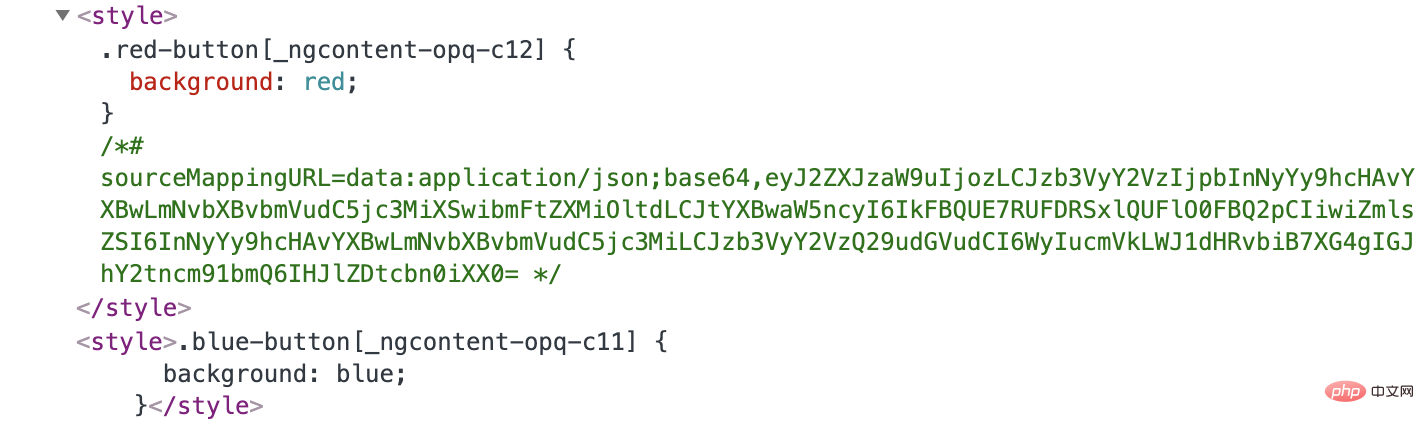
这些属性可以和 CSS 结合起来,比如当我们查看例子中蓝色按钮的样式时,会看到这样的 css:
.blue-button[_ngcontent-yke-c11] { background: blue; }
可以看出,Angular 通过这种方式使 blue-button 类只能应用于有这个属性的元素上,而不会影响到其他组件中的元素。
知道了 Angular 对样式隔离的行为,那么 Angular 又是如何做到这些的呢?
在应用启动时,Angular 将通过 styles 或 styleUrls 组件属性来查看哪些样式与哪些组件相关联。之后Angular 会将这些样式和该组件中元素特有的属性应用到一起,将生成的 css 代码包裹在一个 style 标签中并放到 header 里。