 站长资讯网
站长资讯网方法:首先安装“html css Support”;然后打开页面底部的“管理”-“设置”;接着点击“工作台”,找到并点击“在settings.json中编辑”选项;最后在文件里输入“editor.parameterHints”等代码即可。

本教程操作环境:windows7系统、Dell G3电脑、Visual Studio Code 1.53.2版。
安装html css Support
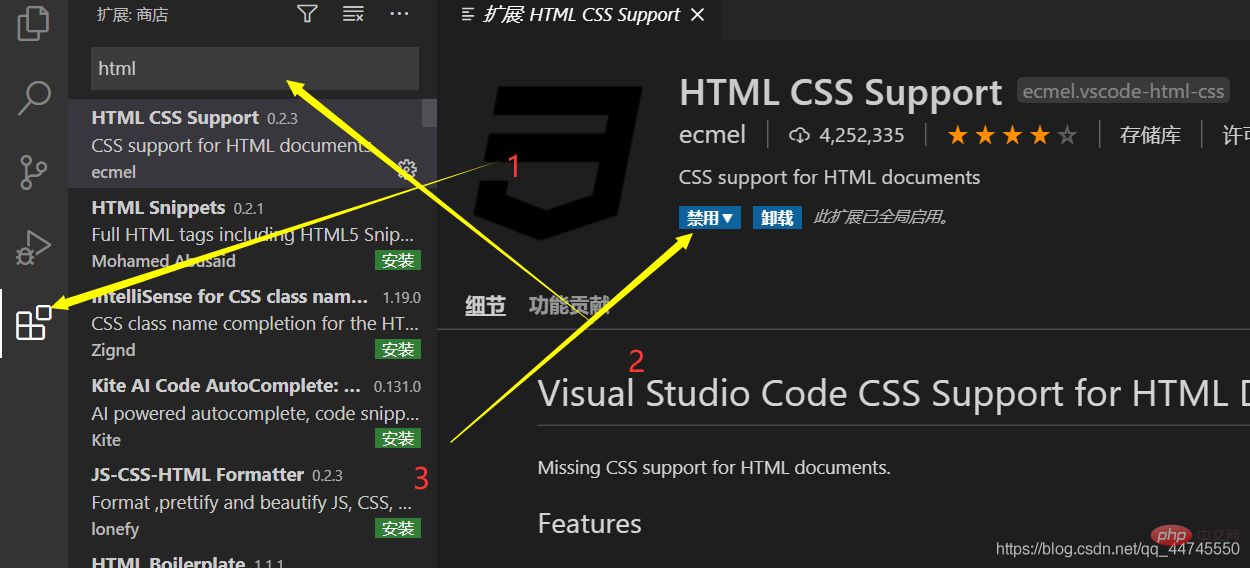
打开
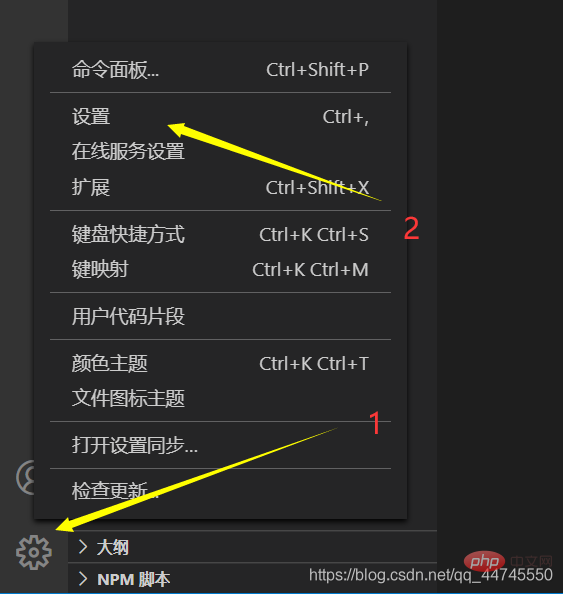
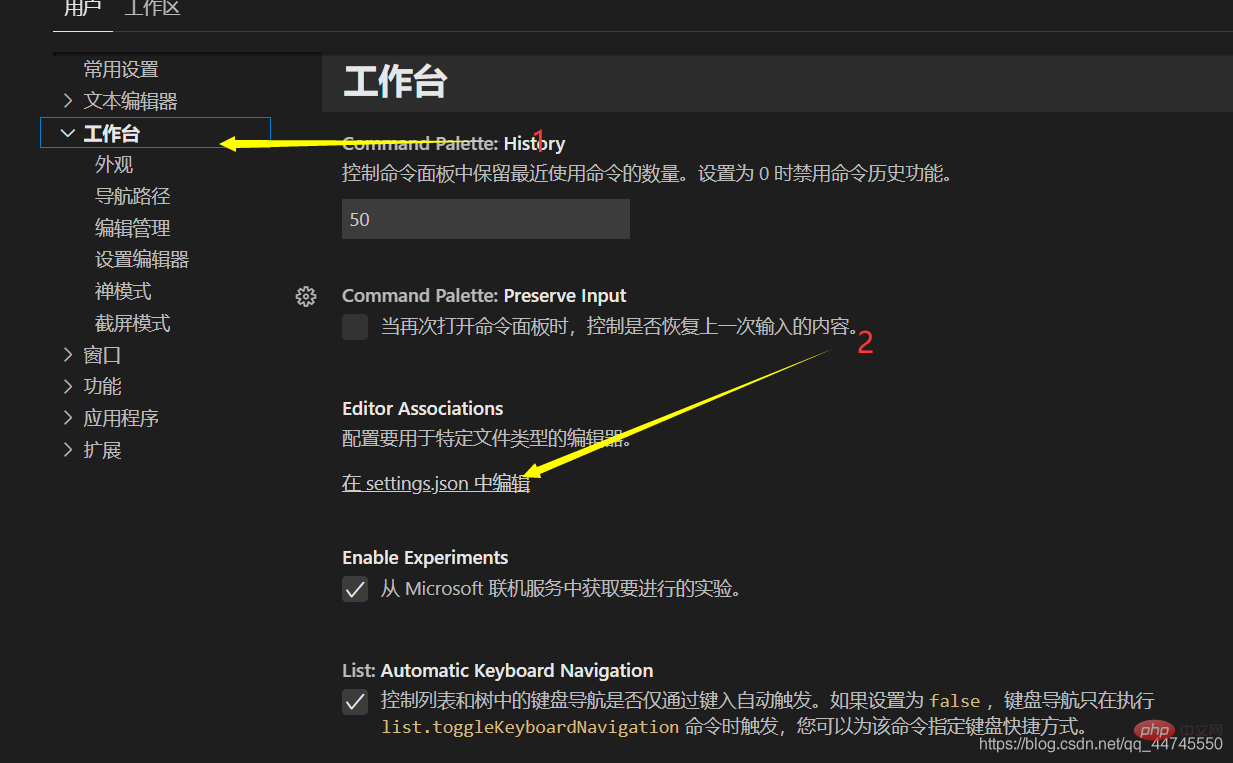
添加代码
“editor.parameterHints”: true, “editor.quickSuggestions”: { “other”: true, “comments”: true, “strings”: true}`
推荐学习:《vscode教程》
