 站长资讯网
站长资讯网css设置垂直居中的方法:1、使用line-height属性让文字垂直居中;2、使用CSS3 flex布局让文字垂直居中;3、使用绝对定位和transform让块状元素垂直居中;4、使用flex布局让块状元素垂直居中。
本教程操作环境:windows7系统、CSS3&&HTML5版、Dell G3电脑。
css设置文本文字垂直居中
1、line-height 使文字垂直居中
<!DOCTYPE html> <html> <head> <meta charset="UTF-8"> <title>css 垂直居中</title> <style> .box{ width: 300px; height: 300px; background: paleturquoise; line-height:300px; } </style> </head> <body> <div class="box">css 垂直居中了--文本文字</div> </body> </html>
效果图:
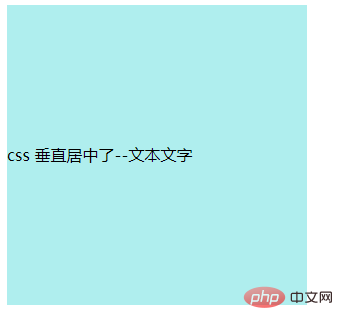
这样就能让div中的文字水平垂直居中了
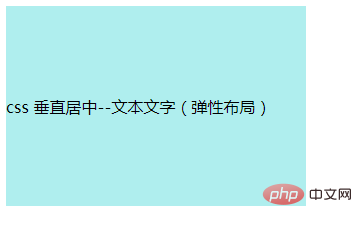
2、CSS3的flex布局 使文字垂直居中
<!DOCTYPE html> <html> <head> <meta charset="UTF-8"> <title>css 垂直居中</title> <style> .box{ width: 300px; height: 200px; background: paleturquoise; /*设置为伸缩容器*/ display: -webkit-box; display: -moz-box; display: -ms-flexbox; display: -webkit-flex; display: flex; /*垂直居中*/ -webkit-box-align: center;/*旧版本*/ -moz-box-align: center;/*旧版本*/ -ms-flex-align: center;/*混合版本*/ -webkit-align-items: center;/*新版本*/ align-items: center;/*新版本*/ } </style> </head> <body> <div class="box">css 垂直居中--文本文字(弹性布局)</div> </body> </html>
效果图:
css设置块状元素垂直居中
1、使用绝对定位和transform(未知元素高度)
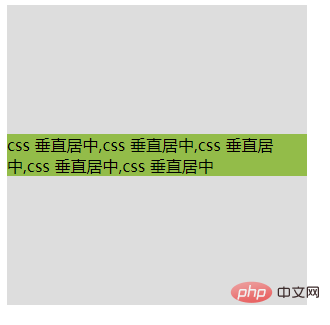
如果我们不知道元素的高度,那么就需要先将元素定位到容器的中心位置,然后使用 transform 的 translate 属性,将元素的中心和父容器的中心重合,从而实现垂直居中:
<!DOCTYPE html> <html> <head> <meta charset="UTF-8"> <title>css 垂直居中</title> <style> .box{ width: 300px; height: 300px; background: #ddd; position: relative; } .child{ background: #93BC49; position: absolute; top: 50%; transform: translate(0, -50%); } </style> </head> <body> <div class="box"> <div class="child">css 垂直居中,css 垂直居中,css 垂直居中,css 垂直居中,css 垂直居中</div> </div> </body> </html>
效果图:
2、使用flex布局
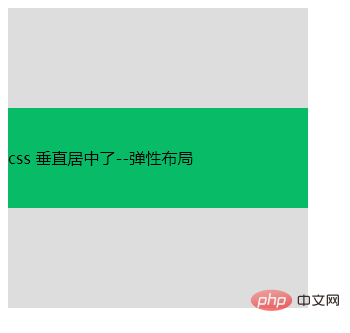
<!DOCTYPE html> <html> <head> <meta charset="UTF-8"> <title>css 垂直居中</title> <style> .box{ width: 300px; height: 300px; background: #ddd; display: flex; flex-direction: column; justify-content: center; } .child{ width: 300px; height: 100px; background: #08BC67; line-height: 100px; } </style> </head> <body> <div class="box"> <div class="child">css 垂直居中了--弹性布局</div> </div> </body> </html>
效果图:
(学习视频分享:css视频教程)
