 站长资讯网
站长资讯网html()方法用于返回或设置被选元素的内容:1、如果未设置参数,则返回被选元素的当前内容,语法“$(selector).html()”;2、如果设置参数,则会覆盖所有匹配元素的内容,语法“$(selector).html(内容值)”。
本教程操作环境:windows7系统、jquery1.10.2版本、Dell G3电脑。
jQuery html()方法
html() 方法返回或设置被选元素的内容 (inner HTML)。
-
返回元素内容
当使用该方法返回一个值时,它会返回第一个匹配元素的内容。
语法
$(selector).html()
示例:
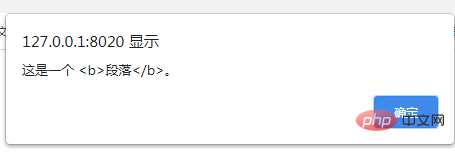
<!DOCTYPE html> <html> <head> <meta charset="utf-8"> <script src="https://cdn.staticfile.org/jquery/1.10.2/jquery.min.js"> </script> <script> $(document).ready(function() { $("button").click(function() { alert($("p").html()); }); }); </script> </head> <body> <p>这是一个 <b>段落</b>。</p> <button>返回P标签的内容</button> </body> </html>
-
设置元素内容
当使用该方法设置一个值时,它会覆盖所有匹配元素的内容。
语法
$(selector).html(content)
content:规定被选元素的新内容,可省略。该参数可包含 HTML 标签。
示例:
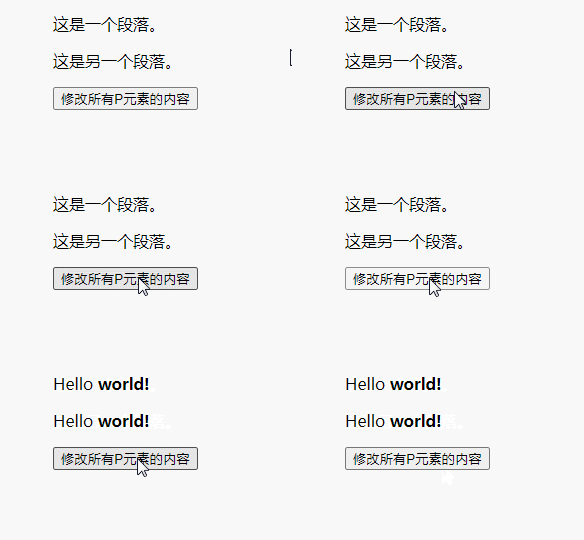
<!DOCTYPE html> <html> <head> <meta charset="utf-8"> <script src="https://cdn.staticfile.org/jquery/1.10.2/jquery.min.js"> </script> <script> $(document).ready(function() { $("button").click(function() { $("p").html("Hello <b>world!</b>"); }); }); </script> </head> <body> <p>这是一个段落。</p> <p>这是另一个段落。</p> <button>修改所有P元素的内容</button> </body> </html>
相关视频教程推荐:jQuery教程(视频)
